
taken app voor vrijwilligers

The Tasks App for Volunteers

Volunteer organizations rely on people who want to help. But in practice, it’s often difficult to reach everyone effectively, highlight relevant tasks, and keep track of everything. Calls for help get lost in app groups, emails get missed, and it’s not always clear who’s responsible for a task, who’s already signed up, or where help is still needed.

With the Socie Tasks app, you can organize and manage volunteers, tasks, and communication all in one place. Volunteers can see which tasks are available, easily sign up, and receive updates that are relevant to them.

Everything in one place

Tasks, news, documents, the calendar, and communications are all in one place. This way, volunteers don’t have to search through individual messages, emails, or different groups.

It's clear who's in charge of what

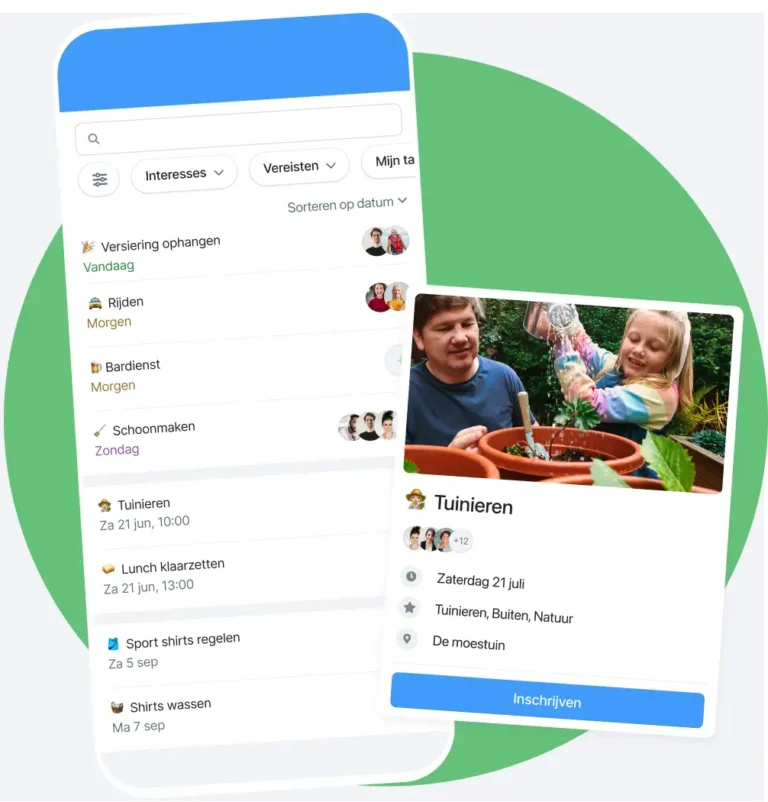
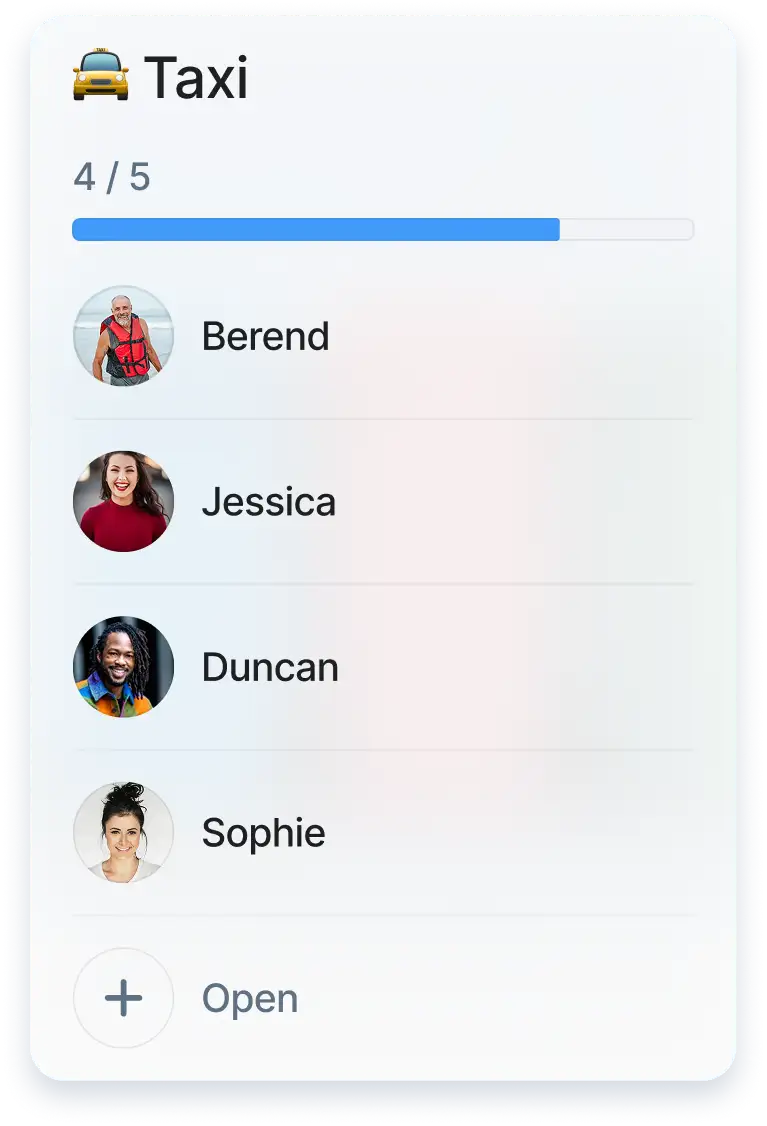
For each task, show what needs to be done, how many people are needed, and who has already signed up. This helps you stay on top of pending tasks and avoid duplicating work.

Easy to filter

In the Tasks app, you can filter by open tasks. For example, filter by required skills and degrees or interests.
Vrijwilligers in de Socie Taken App

A task app for volunteers that provides an overview

Volunteer work can take many different forms. Think of maintaining a mountain bike trail, assisting during a church service, or organizing activities for seniors at a care facility. With a task app for volunteers, you can make it clear what needs to be done and who can help.

Make it clear what needs to be done

Post tasks in one central location and briefly describe what’s needed. Volunteers can immediately see where help is needed, when the task takes place, and what’s expected of them. This makes signing up easy and straightforward.

Make it easy for volunteers to sign up

Volunteers can choose which tasks they want to sign up for. They can see which tasks match their interests, location, or availability. This makes it easier to find the right people for the right activity.

See right away where more people are needed

It’s important for administrators to know which tasks have already been filled and where help is still needed. The tasks app lets you keep track of sign-ups, open slots, and the distribution of volunteers. This allows you to make adjustments in a timely manner.

Communication That Doesn't Get Lost

Many volunteer organizations use multiple channels simultaneously. An app group for quick questions, email for news, separate documents for explanations, and separate lists for tasks. As a result, information gets scattered, and calls for help are easily missed.

Use subgroups by location or department

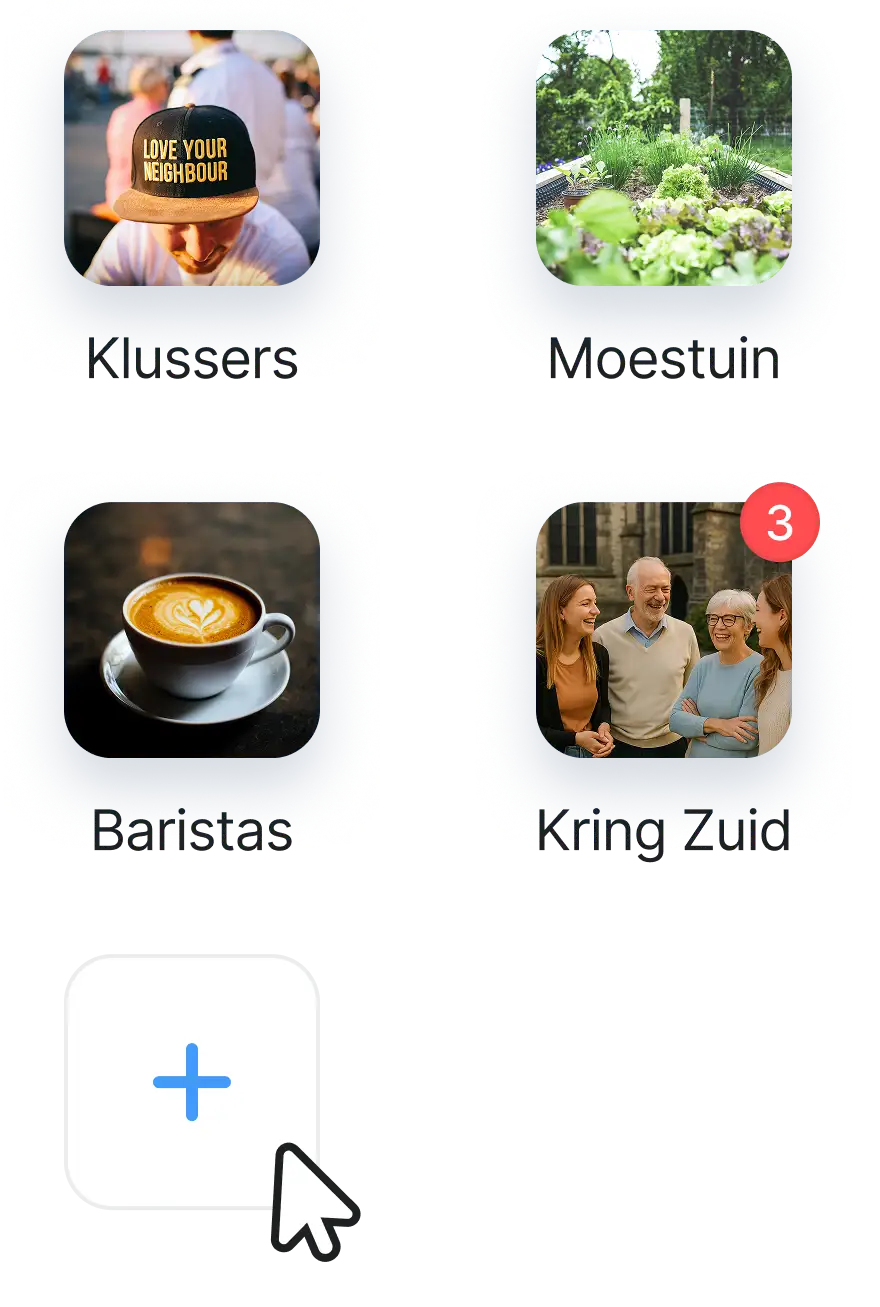
Create groups for locations, departments, or teams. Volunteers can join a group that suits them, such as a nearby location. Within that group, tasks, messages, and updates are kept organized in one place.

Keep practical communication at the forefront

Use the bulletin board or a chat group for quick questions, brief updates, and coordination. This way, day-to-day communication remains visible to the right people, and information is less likely to get lost in separate channels.

Share updates with the right group

Send news and updates to the volunteers for whom they are relevant. This way, a volunteer at a specific location or department receives only the information they need. This keeps communication clear and prevents confusion.
taken app groepen socie community
Kenmerken taak

Tasks, documents, and locations well organized

Volunteers often need practical information to do their jobs well. This includes instructions, directions, guidelines, contact information, or a list of locations. By organizing this information centrally, volunteers can get started more quickly.

Store documents in one central location

Upload manuals, instructions, protocols, and other documents to the app. This ensures that everyone has access to the same information and prevents outdated files from circulating.

Work with qualifications by task

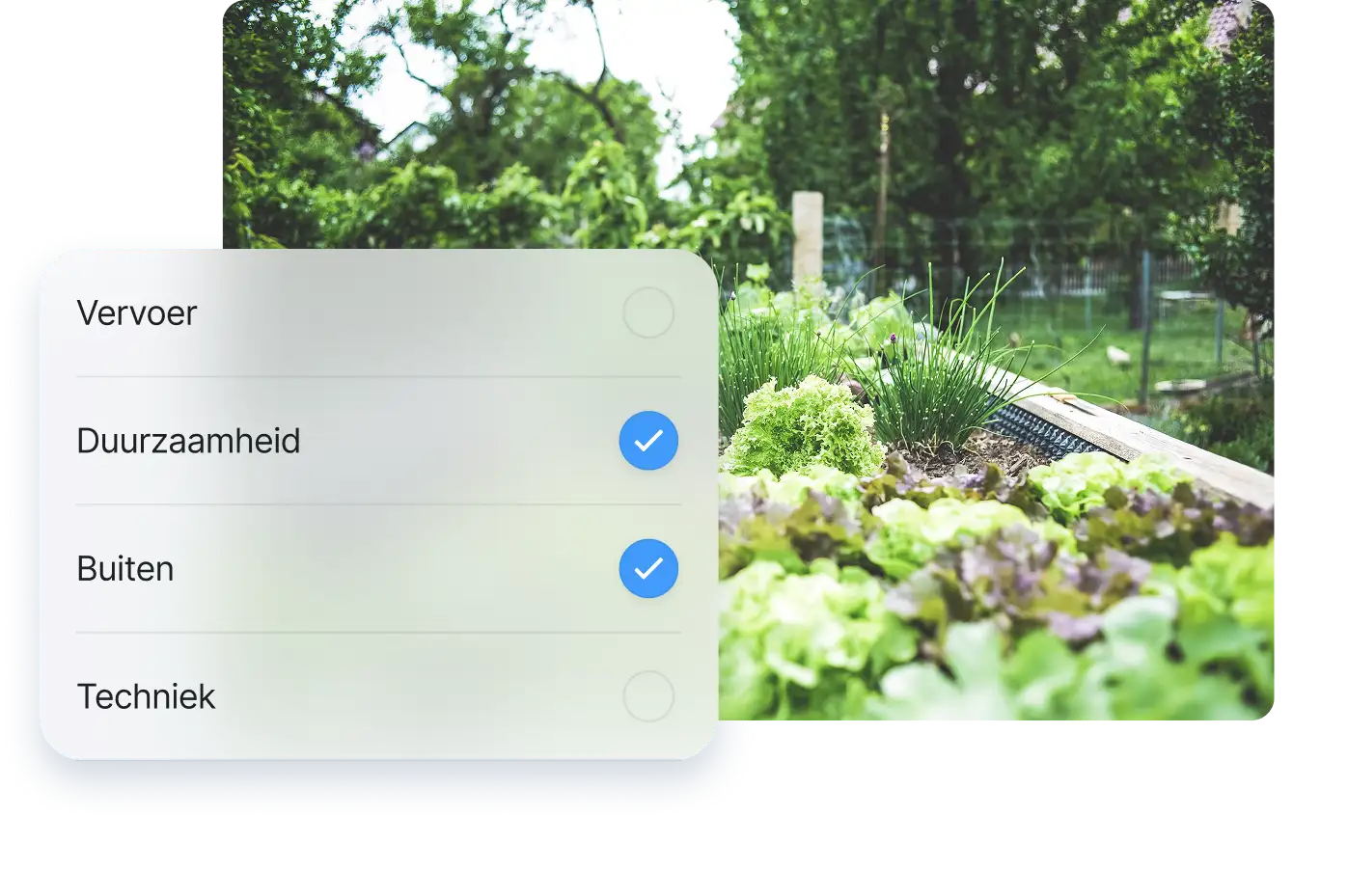
Some tasks require specific knowledge or experience. Examples include a first aid certificate, a driver’s license, or specific training. For each task, specify what is required so that volunteers know whether the task is right for them and the organization can plan safely.

Show locations and departments on the map

Display locations, departments, or service areas on a map. This is useful for organizations with multiple locations, such as a nature reserve, a church congregation, or a healthcare organization. Volunteers can find where they’re needed more quickly.

Working Safely with Volunteer Data

Volunteer organizations work with names, contact information, registrations, and sometimes qualifications as well. It is therefore important that this information is shared securely and is visible only to the right people.

AVG proof and secure

Member data is stored and secured according to the GDPR. Everything is stored on servers within the EU.

Set Permissions by Group or Role

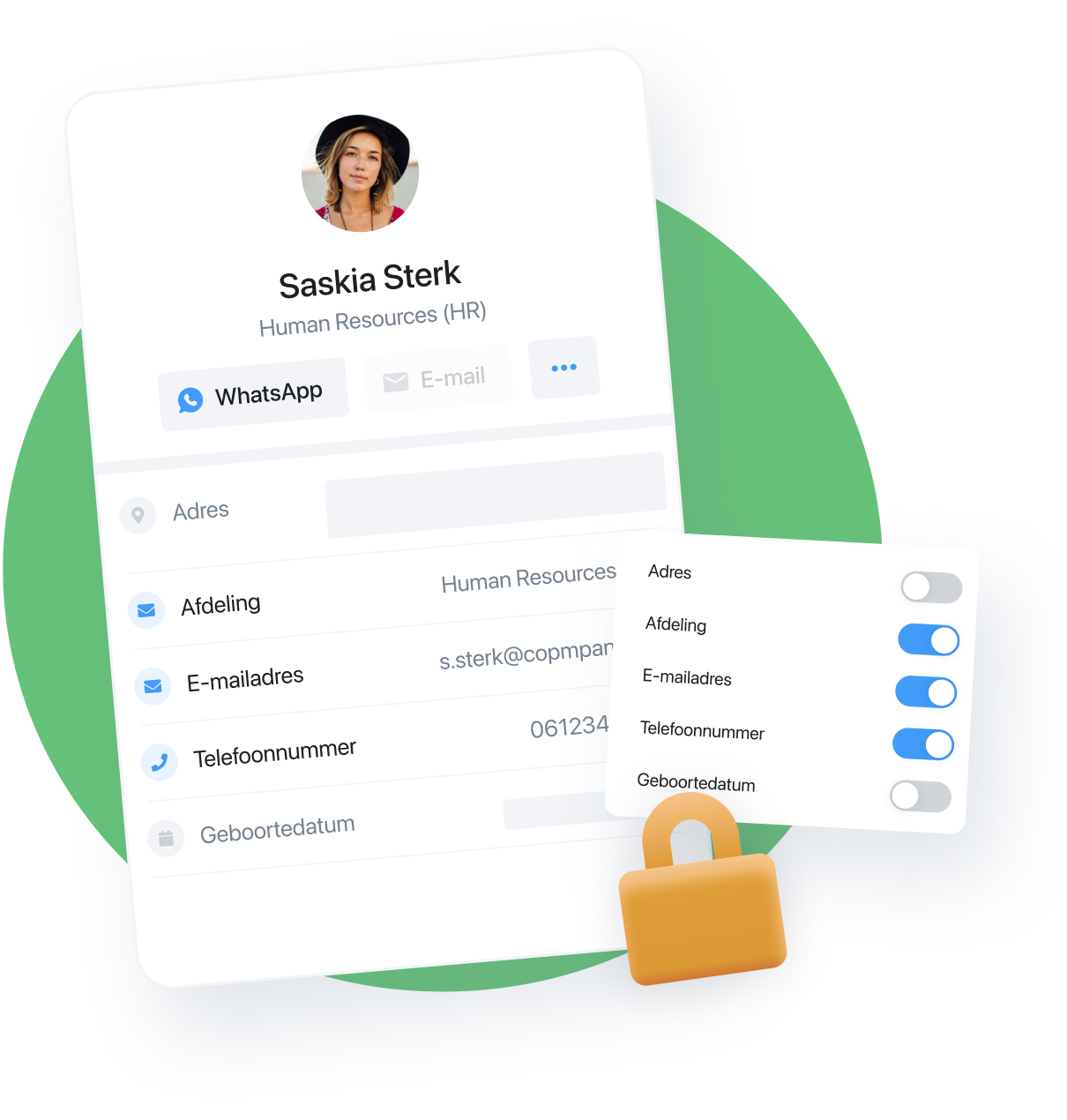
Not everyone needs to see or manage the same information. Use groups and roles so that administrators can maintain an overview and volunteers have access only to what is relevant to them.

Socie will even remind each member every six months to check their privacy settings.

Handling Personal Data with Care

Tasks may include information about availability, qualifications, or contact details. By managing this information centrally and securely, you can work more efficiently and better meet the privacy and GDPR requirements of volunteer organizations.
Veilige bedrijven app

The Tasks App for Various Volunteer Organizations

Volunteer work looks different everywhere. Yet the need is often the same: making it clear what needs to be done, getting people involved, and keeping track of everything.

MTB UH Active Volunteer Group

For example, the Socie tasks app is used by volunteer groups that maintain mountain bike trails on the Utrechtse Heuvelrug. In the app, tasks are created for each location, and reports are filed on completed tasks. Volunteers also discuss which maintenance methods are most effective and which tools and techniques are best to use.

Healthcare organizations and volunteers

The Socie Tasks app is also used by healthcare organizations looking for an accessible way to publicize tasks and chores not only to their own volunteers but also to family members, parents, and neighbors. In the app, tasks are created by department or location so that volunteers and/or family members can choose to come and help out. Tasks are discussed and completed collaboratively within the private volunteer group.

Churches and religious institutions

The Socie tasks app is also used for tasks in and around religious institutions. These include common tasks related to church services and celebrations, covering shifts at childcare centers, as well as occasional uses such as fairs or one-time events.

The Tasks app is the app for volunteer organizations

Several volunteer organizations are already using our versatile task app. You can fully customize the task app yourself with all its different features, and members can communicate securely with each other thanks to the comprehensive privacy settings. If you’re not quite sure how to use the task app yet, please contact us or send us an intake form. Or check out our task guide.

taken app voor vrijwilligers

The Tasks App for Volunteers

Volunteer organizations rely on people who want to help. But in practice, it’s often difficult to reach everyone effectively, highlight relevant tasks, and keep track of everything. Calls for help get lost in app groups, emails get missed, and it’s not always clear who’s responsible for a task, who’s already signed up, or where help is still needed.

With the Socie Tasks app, you can organize and manage volunteers, tasks, and communication all in one place. Volunteers can see which tasks are available, easily sign up, and receive updates that are relevant to them.

Everything in one place

Tasks, news, documents, the calendar, and communications are all in one place. This way, volunteers don’t have to search through individual messages, emails, or different groups.

It's clear who's in charge of what

For each task, show what needs to be done, how many people are needed, and who has already signed up. This helps you stay on top of pending tasks and avoid duplicating work.

Easy to filter

In the Tasks app, you can filter by open tasks. For example, filter by required skills and degrees or interests.

Vrijwilligers in de Socie Taken App

A task app for volunteers that provides an overview

Volunteer work can take many different forms. Think of maintaining a mountain bike trail, assisting during a church service, or organizing activities for seniors at a care facility. With a task app for volunteers, you can make it clear what needs to be done and who can help.

Make it clear what needs to be done

Post tasks in one central location and briefly describe what’s needed. Volunteers can immediately see where help is needed, when the task takes place, and what’s expected of them. This makes signing up easy and straightforward.

Make it easy for volunteers to sign up

Volunteers can choose which tasks they want to sign up for. They can see which tasks match their interests, location, or availability. This makes it easier to find the right people for the right activity.

See right away where more people are needed

It’s important for administrators to know which tasks have already been filled and where help is still needed. The tasks app lets you keep track of sign-ups, open slots, and the distribution of volunteers. This allows you to make adjustments in a timely manner.

Communication That Doesn't Get Lost

Many volunteer organizations use multiple channels simultaneously. An app group for quick questions, email for news, separate documents for explanations, and separate lists for tasks. As a result, information gets scattered, and calls for help are easily missed.

Use subgroups by location or department

Create groups for locations, departments, or teams. Volunteers can join a group that suits them, such as a nearby location. Within that group, tasks, messages, and updates are kept organized in one place.

Keep practical communication at the forefront

Use the bulletin board or a chat group for quick questions, brief updates, and coordination. This way, day-to-day communication remains visible to the right people, and information is less likely to get lost in separate channels.

Share updates with the right group

Send news and updates to the volunteers for whom they are relevant. This way, a volunteer at a specific location or department receives only the information they need. This keeps communication clear and prevents confusion.

taken app groepen socie community
Kenmerken taak

Tasks, documents, and locations well organized

Volunteers often need practical information to do their jobs well. This includes instructions, directions, guidelines, contact information, or a list of locations. By organizing this information centrally, volunteers can get started more quickly.

Store documents in one central location

Upload manuals, instructions, protocols, and other documents to the app. This ensures that everyone has access to the same information and prevents outdated files from circulating.

Work with qualifications by task

Some tasks require specific knowledge or experience. Examples include a first aid certificate, a driver’s license, or specific training. For each task, specify what is required so that volunteers know whether the task is right for them and the organization can plan safely.

Show locations and departments on the map

Display locations, departments, or service areas on a map. This is useful for organizations with multiple locations, such as a nature reserve, a church congregation, or a healthcare organization. Volunteers can find where they’re needed more quickly.

Working Safely with Volunteer Data

Volunteer organizations work with names, contact information, registrations, and sometimes qualifications as well. It is therefore important that this information is shared securely and is visible only to the right people.

AVG proof and secure

Member data is stored and secured according to the GDPR. Everything is stored on servers within the EU.

Set Permissions by Group or Role

Not everyone needs to see or manage the same information. Use groups and roles so that administrators can maintain an overview and volunteers have access only to what is relevant to them.

Socie will even remind each member every six months to check their privacy settings.

Handling Personal Data with Care

Tasks may include information about availability, qualifications, or contact details. By managing this information centrally and securely, you can work more efficiently and better meet the privacy and GDPR requirements of volunteer organizations.

Veilige bedrijven app

The Tasks App for Various Volunteer Organizations

Volunteer work looks different everywhere. Yet the need is often the same: making it clear what needs to be done, getting people involved, and keeping track of everything.

MTB UH Active Volunteer Group

For example, the Socie tasks app is used by volunteer groups that maintain mountain bike trails on the Utrechtse Heuvelrug. In the app, tasks are created for each location, and reports are filed on completed tasks. Volunteers also discuss which maintenance methods are most effective and which tools and techniques are best to use.

Healthcare organizations and volunteers

The Socie Tasks app is also used by healthcare organizations looking for an accessible way to publicize tasks and chores not only to their own volunteers but also to family members, parents, and neighbors. In the app, tasks are created by department or location so that volunteers and/or family members can choose to come and help out. Tasks are discussed and completed collaboratively within the private volunteer group.

Churches and religious institutions

The Socie tasks app is also used for tasks in and around religious institutions. These include common tasks related to church services and celebrations, covering shifts at childcare centers, as well as occasional uses such as fairs or one-time events.

The Tasks app is the app for volunteer organizations

Several volunteer organizations are already using our versatile task app. You can fully customize the task app yourself with all its different features, and members can communicate securely with each other thanks to the comprehensive privacy settings. If you’re not quite sure how to use the task app yet, please contact us or send us an intake form. Or check out our task guide.

This is a staging environment