

Starting a community sounds simple. You bring people together around a shared interest, organization, club, or goal. Then you share news, organize activities, and hope that members will naturally get involved.
In practice, things often work out a little differently.
Many communities start out with enthusiasm but stall after a while. Posts get fewer views, members respond less, information gets scattered, and administrators wonder how to keep the community active.
That doesn’t mean the community has no value. Often, what’s missing is a clear approach.
In this blog post, we list 10 common mistakes people make when building a community, along with practical tips on how to avoid them.
1. Starting without a clear goal
A community works better when everyone knows why it exists. Yet many organizations launch a community without clearly defining its purpose.
Is the community meant to inform members? To share knowledge? To organize volunteers? To promote activities? Or to help members connect with one another?
If the purpose isn’t clear, the community quickly becomes a collection of random posts.
That’s why you should determine in advance what the community is supposed to achieve—not just for the organization, but especially for the members. Why would they come back? What do they find there? What can they do there?
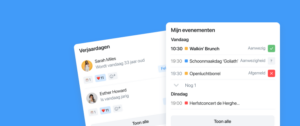
With the Socie app, you can set up your community based on that goal. Think of a calendar of events, groups for different target audiences, documents with practical information, or news posts to keep members informed.
2. Put everything in one large group
A common mistake is having all communication go through a single channel. Everyone receives the same messages, updates, and announcements. While this may seem organized, it often creates confusion.
Not every message is relevant to everyone. A volunteer needs different information than a board member. A new member is looking for different information than someone who has been involved for years. And in larger communities, locations, teams, or interests can vary greatly.
That’s why you should work with groups. This way, you can share information with the members for whom it’s truly relevant.
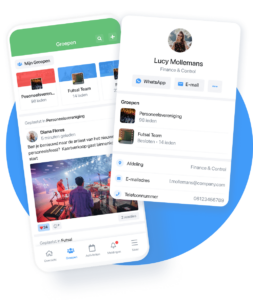
In the Socie app, you can create subgroups for committees, teams, locations, volunteers, working groups, or areas of interest, for example. This helps keep communication more targeted and makes members feel more engaged.
3. Focus on one-way communication and encourage minimal interaction
Many communities are primarily used to share information. That’s important, but a community only becomes truly valuable when members can also respond, contribute ideas, and get involved.
If posts come only from the organization, the community can quickly start to feel like a newsletter. Members may read the posts, but they feel less engaged.
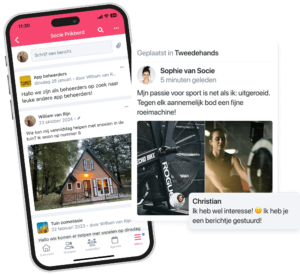
So ask questions. Invite members to respond. Use polls, let people share photos, or ask for input on an activity. Give members a reason to contribute something themselves.
An active community doesn’t happen on its own. You need to let members know that their contributions are welcome.
4. Using too many channels at the same time
Many organizations use multiple channels at the same time. A newsletter for important announcements, WhatsApp for quick questions, individual documents via email, a website for calendars, and perhaps social media as well.
As a result, information gets scattered. Members no longer know where to find things. Administrators have to post messages in multiple places. And important updates are more likely to be missed.
A community works better when information is centralized in one place.
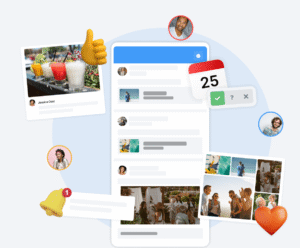
With the Socie app, you can bring news, the calendar, documents, groups, photos, and communication together in a single community. This way, members know exactly where to go, and administrators have less duplicate work to do.
5. Not establishing a clear structure
A community without structure quickly becomes disorganized. Posts get jumbled together, documents are hard to find, and members don’t know where to look.
So think carefully about the layout. Which sections do members need most often? What information needs to be easily visible? Which groups or modules help keep the community organized?
Don’t make it more complicated than necessary. Start with the most important sections and expand later as needed.
A good structure helps members use the community. The easier it is for them to find what they’re looking for, the more likely they are to come back.
6. Not properly involving members from the start
Launching a community is more than just sharing a link. Members need to understand why the community exists, what they can do with it, and how to get started.
If that explanation is missing, some members might install the community app, but they’ll hardly use it afterward.
So be sure to actively guide members. Explain the benefits of the community. Show them where to find news, how to sign up for activities, where to find documents, and how to join groups.
Repeat this explanation at various times. Not everyone will see the first post.
For example, use a newsletter, a QR code, a brief explanation during a meeting, or a post on existing channels. Make the step as small as possible.
7. Assuming that members will become active on their own
A community needs attention—especially in the beginning.
Members need time to get used to a new place. They need to discover what’s there and see that the community is worthwhile. If not much is happening, people are more likely to lose interest.
So make sure there’s regular activity. Share news, post photos after an event, add activities to the calendar, ask a question, or highlight a group.
It doesn’t have to be every day. The point is for members to see that the community is active.
Administrators play an important role here. They set a good example and help get the community off the ground.
8. Not thinking enough from the members' perspective
A community is often set up by the organization. What do we want to share? What information do we need to post? What messages do we want to send?
But members see things differently. They ask themselves: What’s in it for me? Where can I find what I need? Why should I respond? How does this help me?
That’s why you should always think from the members’ perspective. Make information practical, relatable, and easy to find. Don’t just share what the organization considers important—focus on what helps members stay engaged.
A good community aligns with members’ daily lives.
9. Do not make any agreements regarding management
A community needs to be managed. Someone has to post messages, maintain groups, answer questions, and ensure that information stays up to date.
However, it’s not always clear from the start who is responsible for what. As a result, sections remain empty, questions go unanswered, or information becomes outdated.
So make clear agreements about community management. Who posts news? Who manages the calendar? Who maintains the groups? Who helps members when they have questions?
With clearly defined roles, the community stays better organized, and you prevent everything from falling on one person’s shoulders.
10. Not measuring, learning, and improving enough
A community is never fully developed all at once. What works for one organization doesn’t automatically work for another.
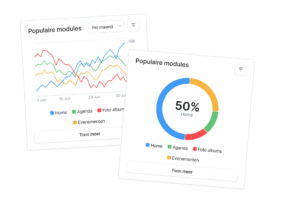
So be sure to check usage regularly. Which posts are being read? Which groups are active? What kinds of questions are being asked? Which features are underutilized?
Also ask members for feedback. What are they missing? What do they find useful? What challenges do they face?
Use those insights to improve the community step by step. Sometimes a different layout helps. Sometimes additional explanation is needed. Sometimes it turns out that a particular group or module actually adds a lot of value.
A strong community grows along with the people who use it.
Building a Community That Works
A good community isn’t just about technology. It’s mainly about clarity, structure, and engagement.
Members need to know where to find information, how to get involved, and why the community is valuable to them. Administrators need to maintain an overview and be able to communicate easily with the right groups.
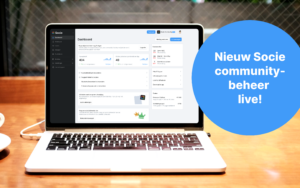
The Socie app helps you organize all of that in one place—from news and the calendar to groups, documents, photos, push notifications, and interaction among members.
This makes it easier to keep your community active and truly connect members with one another.
Want to start your own community?
Would you like to create a community for your club, foundation, volunteer organization, church, healthcare organization, or membership organization? With Socie, you can set up your community exactly the way you want.
This way, you can bring communication, activities, and members together in one place.